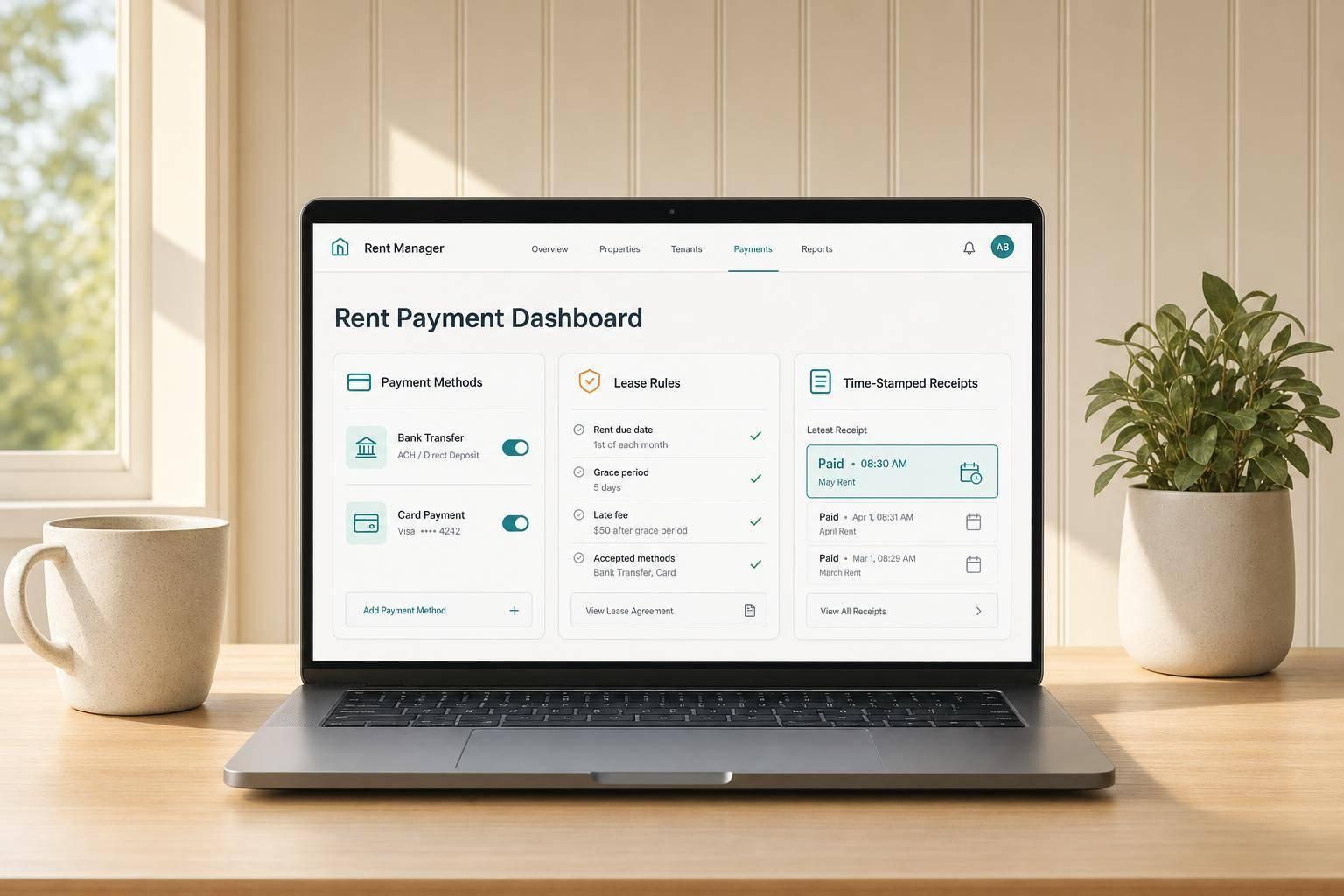
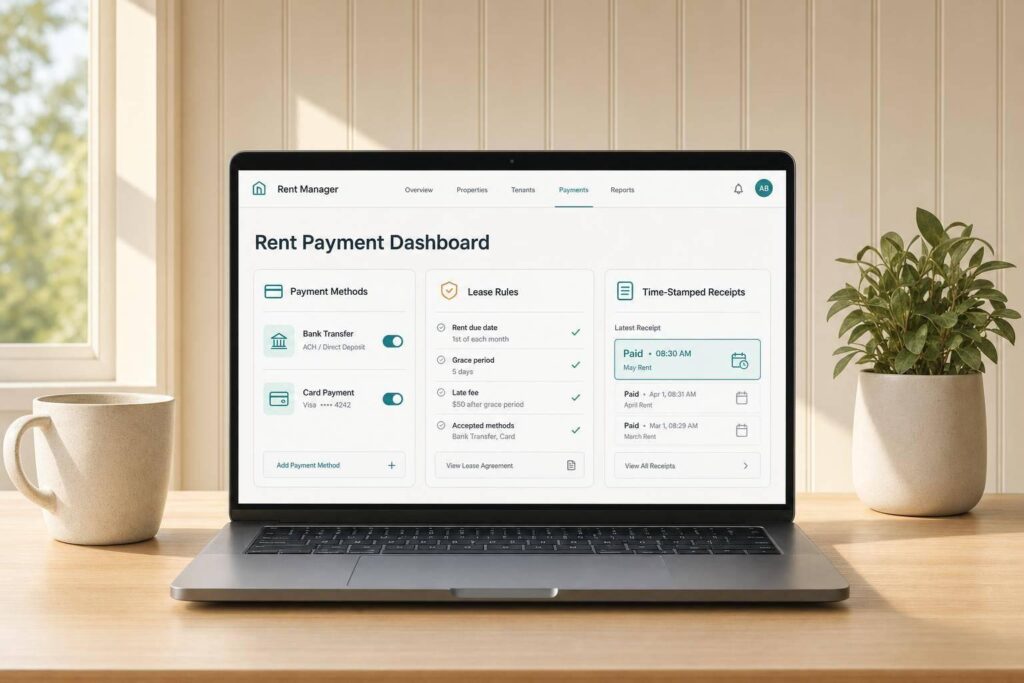
If I had to sum it up in one line: online rent payment systems work best when I pick the right payment methods, set clear lease rules, and keep clean records from day one.
Here’s the short version:
- I use an online rent system so tenants can pay through a portal or app instead of checks or cash.
- Most systems allow ACH, debit cards, credit cards, and sometimes digital wallets.
- The main upside is less manual work, 24/7 payment access, and automatic ledger entries.
- The main problems are processing fees, failed payments, chargebacks, partial payments, and weak records.
- In Florida, lease wording and notice handling matter. A small mistake in a 3-day notice can hurt an eviction case.
- I should state in the lease:
- which portal tenants must use
- who pays any fees
- whether partial payments are allowed
- how late fees work
- For Jacksonville landlords, time-stamped ledgers, notice records, and exportable reports matter if a payment dispute ends up in court.
- A clean rollout means checking active leases, setting an enrollment deadline before the next rent cycle, and giving tenants setup help.
What matters most? The software is only part of it. If my lease terms are weak or my records are messy, the portal will not fix that.
Quick Comparison
| Area | What I should look for | What can go wrong |
|---|---|---|
| Payment methods | ACH, cards, portal access | Failed transfers, chargebacks |
| Lease rules | Clear late-fee and partial-payment terms | Disputes and restart of eviction steps |
| Recordkeeping | Time-stamped ledger, owner statements, exports | Missing proof in court |
| Security | Encryption and access controls | Data exposure and tenant trust issues |
| Rollout | Clear deadline, email/text instructions, support contact | Missed rent due to setup confusion |
A few numbers help frame the issue: if I manage 10 units and even 1 late or failed payment each month turns into extra follow-up, notices, and ledger work, the admin time adds up fast. That is why the best setup is simple, documented, and enforced the same way every month.
This guide breaks down how these systems work, what payment options to allow, what to put in the lease, and how to launch without disrupting rent collection.
How Online Rent Payment Systems Work
The basic flow is pretty simple. A tenant signs up through a tenant portal after passing tenant screening, which is usually part of the property management software the landlord already uses. From there, the tenant adds payment details and submits rent inside the portal. After the payment goes through, the money is sent to the landlord’s account once service fees are taken out, and each transaction is recorded automatically in the rent ledger.
After that, the main decision is which payment methods the system will allow.
Common Payment Methods: ACH, Cards, and Tenant Portals
Most systems support ACH, debit cards, credit cards, and, in some cases, digital wallets. The tenant portal is the main hub tenants use to pay rent, check receipts, and see current balances. On the other side, the owner portal shows collected rent, pending payments, and disbursements in real time.
Once the tenant picks a payment method, the software takes care of reminders, posting, and recordkeeping.
What Gets Automated After Setup
After setup, the system can send due-date reminders, apply lease-based late fees, and record each payment in the ledger automatically. That cuts down on manual work, but it also brings policy and security issues that landlords still need to handle.
sbb-itb-73b3b1a
Benefits, Risks, and Payment Method Tradeoffs
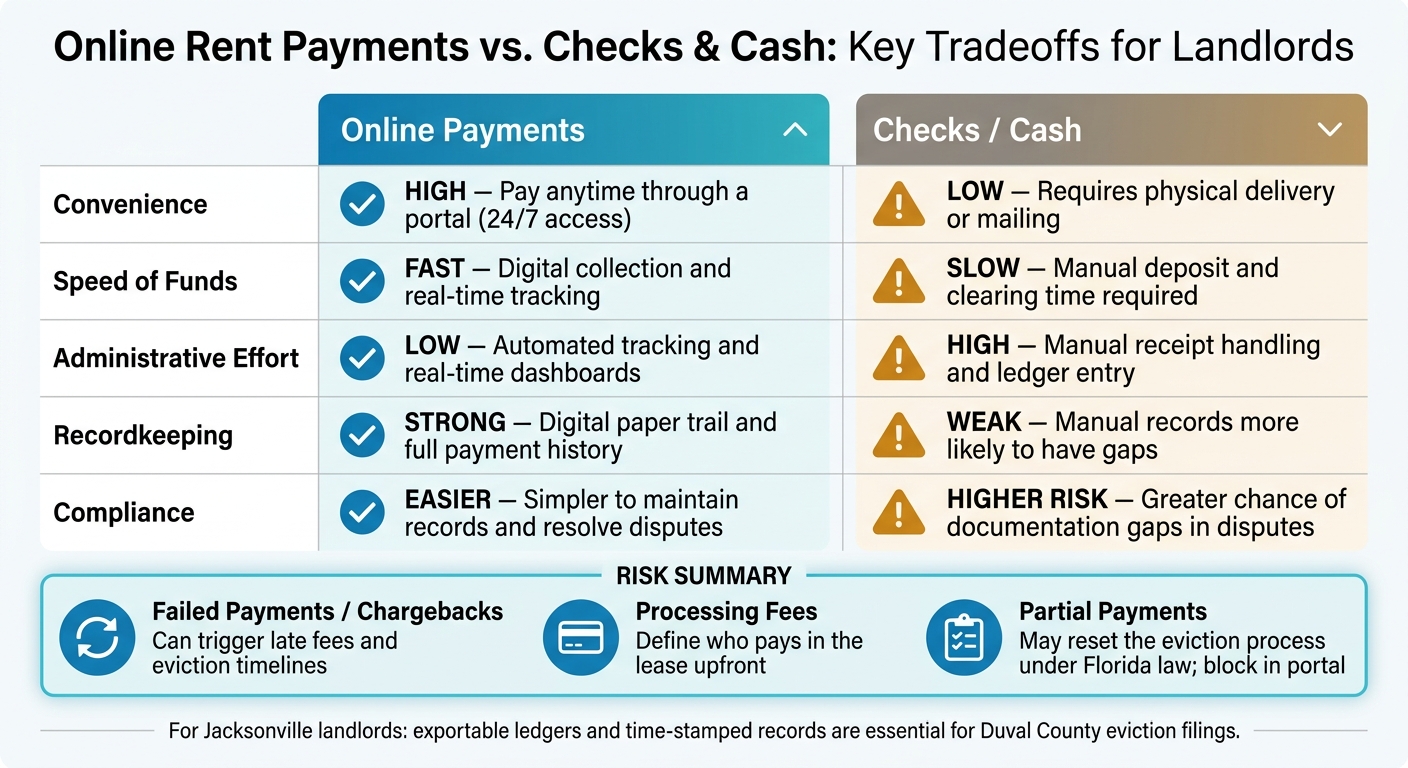
Online Rent Payments vs. Checks & Cash: Key Tradeoffs for Landlords
Why Landlords and Tenants Use Online Rent Payments
After setup, the big question is simple: is it worth it?
For landlords, the main upside is faster, cleaner rent collection. Payments post automatically, balances update in real time, and late fees are easier to track. For tenants, the draw is just as clear: they can pay anytime, day or night. That 24/7 access cuts friction, while owners get faster reporting and fewer manual follow-ups.
Main Risks: Fees, Failed Payments, Chargebacks, and Data Security
The biggest problems usually don’t come from the portal itself. They come from what happens around the payment.
Failed payments, chargebacks, processing fees, and weak recordkeeping are the main trouble spots. A landlord might see a card payment come through, only to deal with a reversal later. Or a tenant’s bank transfer might fail after the due date. Those situations can get messy fast if the lease and payment policy don’t spell things out.
That’s why landlords need clear rules for:
- Returned payments
- Failed card charges
- Who pays processing fees
Without that, even a smooth-looking system can turn into extra admin work.
Online Payments vs. Checks vs. Cash: A Side-by-Side Comparison
For daily rent collection, the tradeoff usually comes down to three things: speed, tracking, and admin work.
Online payments tend to make the process easier to monitor. Checks and cash can still work, but they usually take more hands-on effort and leave more room for missing records. Here’s the side-by-side view:
Payment method overview:
| Feature | Online Payments | Checks / Cash |
|---|---|---|
| Convenience | High – pay anytime through a portal | Low – requires physical delivery or mailing |
| Speed of Funds | Digital collection and tracking make it easier to monitor payments | Slower; requires manual deposit and clearing time |
| Administrative Effort | Low – automated tracking and real-time dashboards | High – manual receipt handling and ledger entry |
| Recordkeeping | Strong digital paper trail and payment history | Manual records are more likely to have gaps |
| Compliance | Easier to maintain payment records and resolve disputes | Higher risk of gaps in documentation and dispute handling |
Choosing the Right System and Setting Clear Policies
What to Look for in a System
Once you understand the tradeoffs, the next step is picking a system that fits your reporting, security, and lease-enforcement needs.
The right system should do more than collect rent. You want strong access controls, clean reporting, and secure payment handling. It should also give you real-time balances, exportable ledgers, and clear owner statements. Before you sign up, ask to see a sample owner statement. That one detail can tell you a lot about how usable the system will be in day-to-day work.
For Jacksonville landlords, an exportable rent ledger matters a lot. It needs to be clear enough to use in eviction filings and payment disputes. The system also needs to support Florida notice and recordkeeping rules, including the email notice provisions that took effect July 1, 2025. Time-stamped records and exportable documentation are what make lease enforcement workable when a case gets messy.
Policy Choices That Should Be in the Lease
The software matters. But when payment problems show up, the lease rules are what decide how things play out.
Set your payment rules upfront and put them in writing. If you require online payment, say that plainly in the lease. The lease should also name the portal tenants must use for rent collection.
Partial payments are where many landlords get burned. Accepting a partial rent payment can reset the eviction process, which means you may have to start the legal timeline all over again. Your lease should say whether partial payments are accepted, and in most cases, the answer should be no.
Late fees need clear wording too. They must be explicitly defined in the lease to be enforceable. They also can’t be included in a 3-day notice to pay or quit unless they are clearly defined as additional rent in the written lease agreement. On top of that, the mandatory 3-day notice period for nonpayment must exclude weekends and court holidays. That timing can trip people up fast, so your lease terms and internal workflow need to match the rule.
How 1 Realty Management Supports Online Rent Collection
1 Realty Management helps Jacksonville property owners handle online rent collection, tenant onboarding through portals, and real-time financial reporting. Their lease execution process uses attorney-grade templates that reflect current Florida statutory requirements, including notice periods and the email notice provisions that took effect July 1, 2025.
When payment issues come up, they also manage the documentation trail landlords need to stay organized through Duval County‘s court process, including rent ledgers and 3-day notices.
After the system and policies are in place, the final step is a controlled rollout that protects rent flow from day one.
Implementation, Security, and Day-to-Day Management
How to Roll Out the System Without Disrupting Rent Collection
Once the system and lease terms are in place, the rollout and daily controls decide whether rent collection stays smooth. This is especially critical in high-volume areas like Southside Jacksonville, where market activity demands efficient systems.
Start with every active lease before launch. Check that each one names the portal as the payment method, lists any fees, and lines up with Florida Statute Chapter 83. Set a firm enrollment deadline before the next rent cycle. Then send setup instructions by email and text. Include a tech support contact so tenants know exactly where to go if they hit a snag.
After enrollment, the job changes. At that point, the focus is secure payment processing and a fast, documented response when payments fail.
How to Protect Tenant Data and Handle Payment Problems
Use a portal with encryption and access controls. That part is non-negotiable.
When payment problems happen, speed matters. Documentation matters too. A failed ACH payment should trigger the lease-based late fee and, if it still isn’t paid, a 3-day notice. Under Florida Statutes Chapter 83, that notice must state the exact amount due. Even a small mistake can invalidate the eviction case.
Here are the most common risks and the right response for each:
| Risk | Impact | Response | Records |
|---|---|---|---|
| Failed ACH / Non-payment | Lost revenue; potential eviction | Immediate late fee enforcement; 3-day notice | Payment history; proof of notice delivery |
| Partial Payment | May reset the eviction process under FL law | Block partial payments in the portal and document any exception in writing | Communication logs; payment records |
| Procedural Error in Notice | Dismissed eviction case; additional lost rent | Use legally compliant templates; verify exact amount due | Copy of delivered notice; delivery log |
| Data Security Breach | Loss of tenant trust; legal liability | Use a portal with encryption and access controls | Access logs; security protocols |
These controls help keep payment issues under control and your record trail clean.
Conclusion: The Key Decisions That Make Online Rent Payments Work
Getting online rent payments right comes down to a few decisions made before the first payment even hits the system.
- Put late fees and partial payment rules in the lease, in writing, and enforce them the same way from day one.
- Choose a system with strong reporting, encrypted records, and real-time owner dashboards.
- Roll it out with clear tenant communication and a firm enrollment deadline.
- Keep complete digital records for balances, notices, and payment history, because in Florida that paper trail supports enforcement and filings.
If the setup is clean on the front end, the day-to-day work gets a lot easier.
FAQs
What is the best payment method for rent?
The best rent payment method is the one spelled out in your lease and keeps you in control of collection.
To protect your legal position and avoid problems during possible eviction proceedings, do not allow partial-payment methods like direct deposits, Venmo, PayPal, or cash. A structured, professional system helps with steady collection, accurate reporting, and a clear paper trail.
Can I require tenants to pay rent online?
Yes. You can require tenants to pay rent online, and the lease should clearly state the authorized payment method.
A secure online portal gives you a clear digital record of each payment and helps avoid problems that can come with cash or third-party apps. The lease should spell out exactly how and where tenants need to pay.
What records should I keep for payment disputes?
Keep your records organized. That includes a rent ledger that shows payments received and any unpaid balance, the original signed lease agreement, and copies of notices you’ve sent, such as a 3-day notice to pay or quit.
These documents help back up your position, whether you work things out directly or take the matter to court.